AI-Powered Document Intelligence System

Tech Stack
Description
An end-to-end system for turning invoices into checked, searchable data. Users upload PDFs, scanned PDFs, images (JPG, PNG, TIFF) or spreadsheets (XLSX, XLS, CSV); the system reads them, with OCR for scans and photos, extracts the invoice number, date, supplier, customer, subtotal, tax, total, currency and line items with an LLM, validates the numbers, and lets users review, correct and search the results.
Every extracted value carries its evidence, the text it was read from, so nothing is taken on trust. Each invoice is then checked for missing fields, totals and line items that don't add up, odd dates and duplicates, and any invoice with a problem is marked for review. Processing runs in a background job queue, so uploading many files never blocks the website.
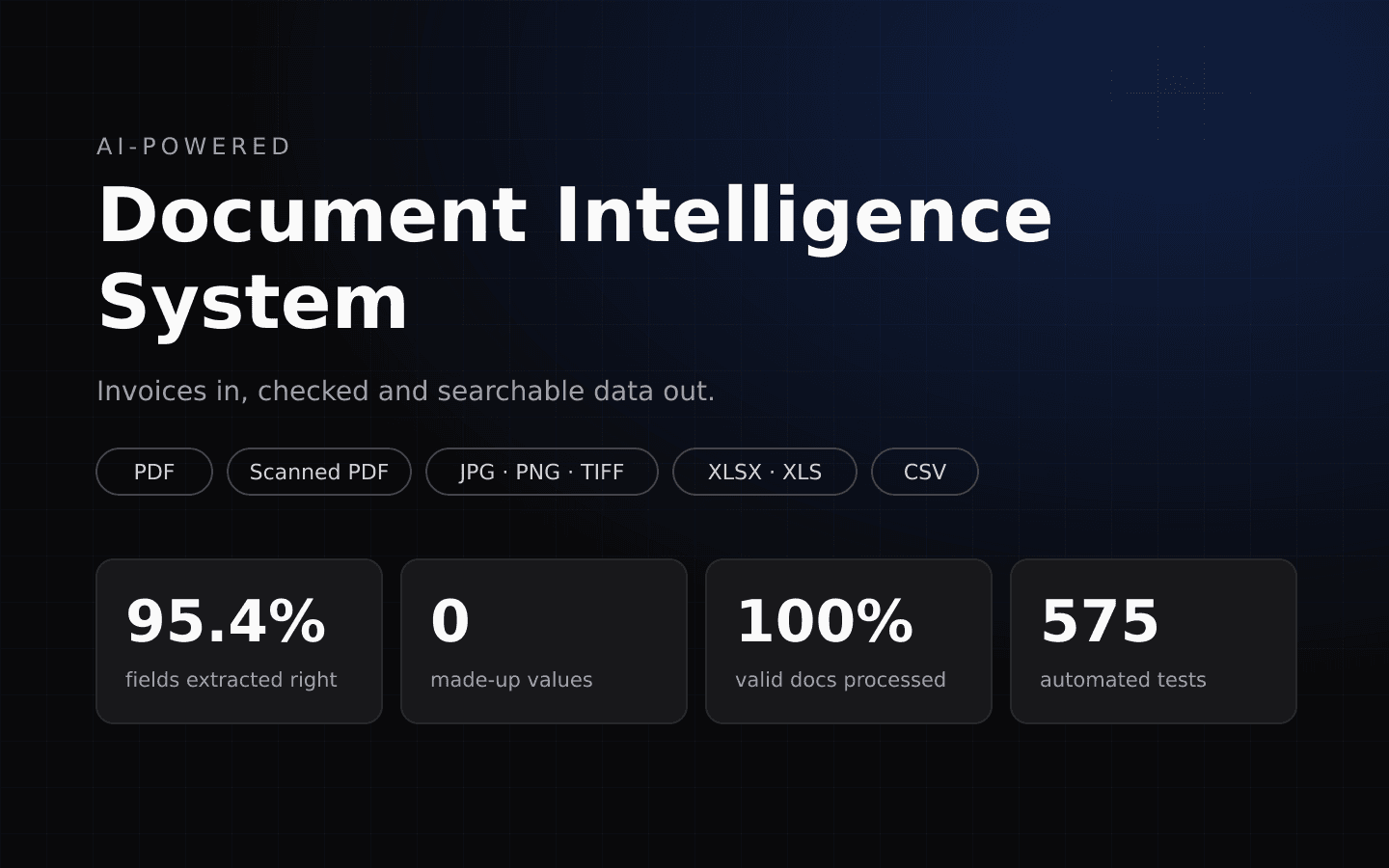
I measured it through the real system on a labeled set of 29 documents (30 invoices): 95.4% of fields were extracted correctly (100% on digital PDFs and spreadsheets), every valid document was processed, and no value was made up. All 11 wrong fields came from OCR misreading the font on scans and photos, not from the LLM, and every invoice with a mistake was sent to review.
- Built three services: a Next.js 15 + React 19 website, an Express + TypeScript REST API with a BullMQ background worker, and a Python FastAPI AI service, backed by PostgreSQL 17 with pgvector and Redis.
- Wrote file pipelines for digital and scanned PDFs (PyMuPDF, page by page, OCR only on scanned pages), images (EXIF rotation, Pillow clean-up and Tesseract OCR with confidence-based retries), and spreadsheets (openpyxl, xlrd and CSV, with rule-based column mapping and no LLM call).
- Extracted fields with Gemini as structured JSON at temperature 0, one request per invoice, with a check that each value's evidence exists in the source text so nothing is invented.
- Validated every invoice for missing fields, line maths, subtotal + tax vs total, odd dates and duplicates, flagging problems for human review.
- Added keyword search with date, amount, currency and supplier filters, plus meaning search with Gemini embeddings in pgvector, so "office furniture" finds "chairs".
- Made it work within Gemini's free tier: retries when the model is busy, automatic switching to the next free model when a daily limit is reached, and a clear retry-later message when every limit is used up.
- Evaluated it on 29 labeled documents: 95.4% field accuracy (229/240), 100% of valid documents processed, 6/6 broken or unsupported files rejected with a clear reason, 7/7 planted problems caught, and 0 made-up values.
- Covered it with 575 automated tests (359 Pytest, 160 backend Vitest, 56 frontend), using a fake Gemini, a fake AI service and a separate test database so tests never touch real data or quota.
Page Info
Architecture
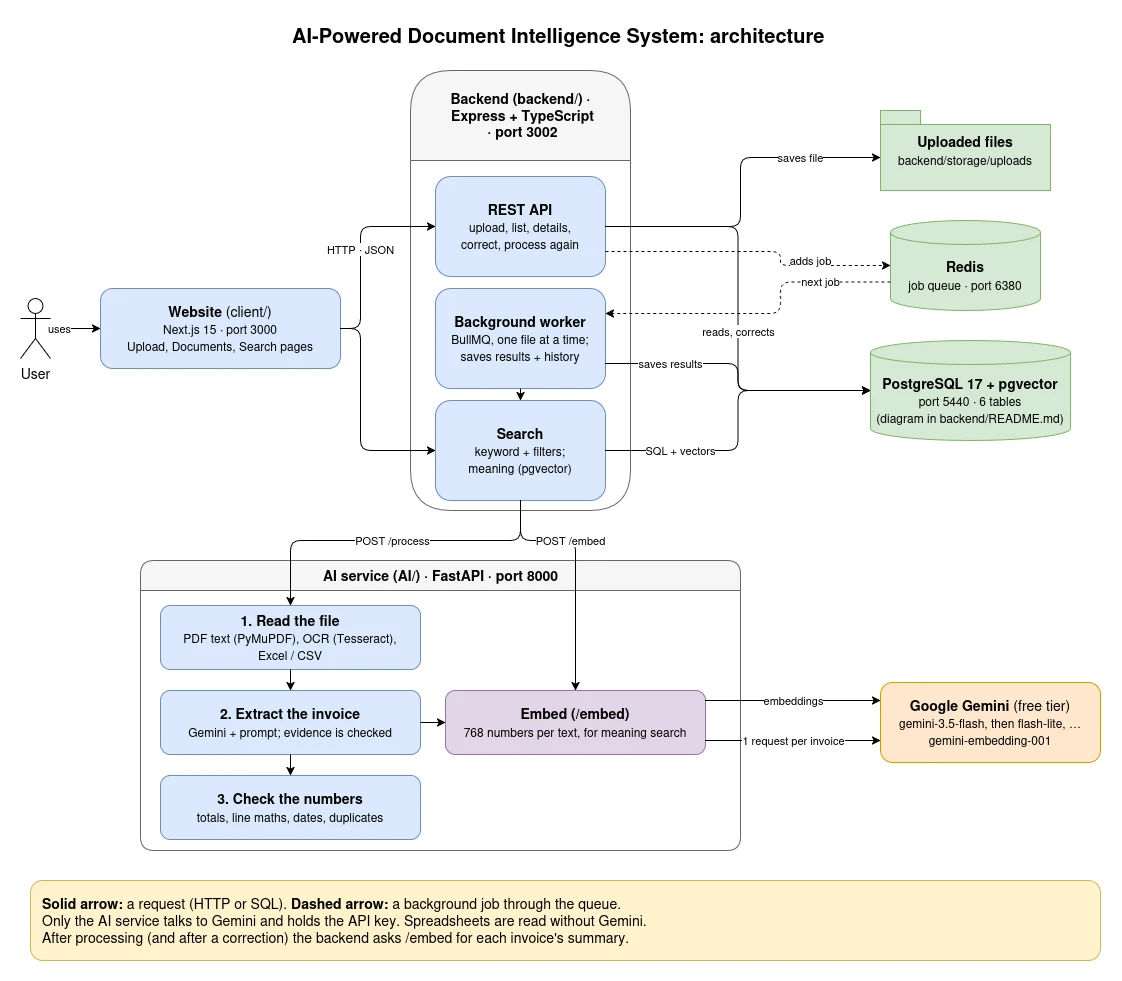
Three services: a Next.js website, an Express + TypeScript backend with a BullMQ worker, and a FastAPI AI service. The backend stores everything in PostgreSQL with pgvector and queues each upload in Redis. Only the AI service talks to Gemini and holds the API key.
Processing Pipeline
The real file type is detected from its first bytes. Digital PDF pages are read directly with PyMuPDF, scanned pages and photos go through Pillow clean-up and Tesseract OCR, and spreadsheets with known columns are mapped by rules with no AI call. Pages are grouped into invoices by invoice number, so one PDF can hold several invoices and one invoice can span pages.
Evidence, Not Guesses
Gemini returns each field with the words it was read from. If that evidence isn't in the document, the field is marked uncertain, and a value that isn't on the invoice stays empty. Amounts are normalized with exact decimals, dates to ISO, and currencies to their codes.
Review, Correct & Search
Documents move from Waiting to Processing to Done (or Failed, with the reason) and the page updates by itself. Each invoice shows its fields with status and evidence, line items, problems found, and history. Wrong values can be edited and are re-checked at once, and invoices are searchable by keyword, filters, or meaning.